Learning for children aged 4 to 8
KLARIN – learning with a friend
Short, playful lessons with voice. An animal friend guides the child through a shelf of ten games, and the app adapts to what the child can do right now – not to their age.


What it looks like
This is KLARIN on a tablet. The child taps, draws and builds words – no ads and no purchases.
-
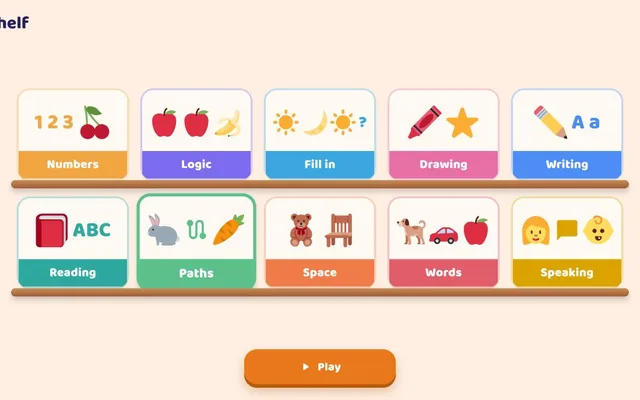
Toy shelf – ten areas of learning -
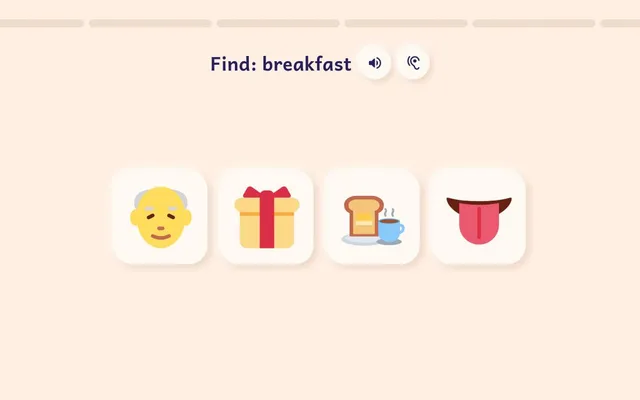
New words with pictures -
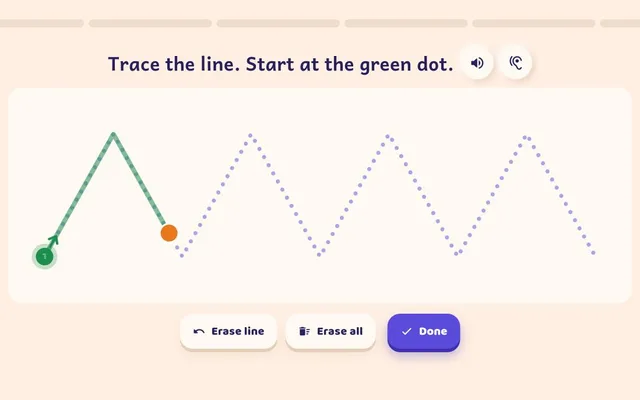
Tracing lines and letters -
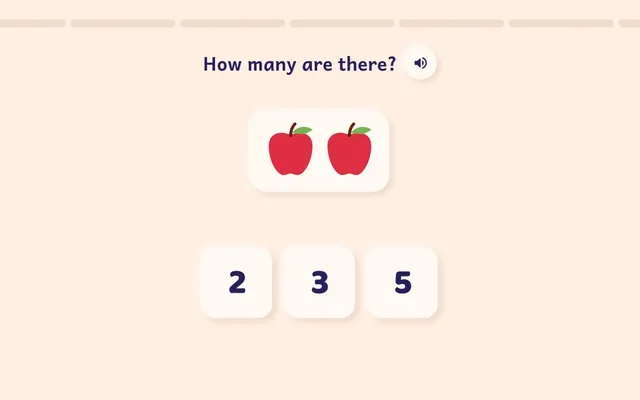
Counting with pictures
Try it yourself
Four tasks from the app. In the app a voice reads them to the child, and the difficulty adjusts by itself.
-
Find the shadow
Which shadow belongs to the rabbit?

-
The way home
Which path takes the rabbit to the house?
-
Odd one out
Three things are fruit. Which one is not?
-
Clap the syllables
Tap the hands for each syllable.

Plus more than 50 other kinds of task: numbers, logic, writing, reading, space, words and speaking.
How it works
The first three lessons are getting to know the friend: the app quietly finds out what the child can do, then offers tasks at exactly the right level.
A friend who grows with the child
Cat, owl, unicorn, robot or lion – the child picks a friend and gives it a name. For every finished lesson the friend gets a present for the treasure chest, and together they go on a trip: to the farm, to the seaside, into the woods. Now and then a box on the shelf lights up with a surprise inside. No pressure, no competition, nothing can be lost.
-
 Cat
-
 Owl
-
 Unicorn
-
 Robot
-
 Lion
A shelf of ten games
This is the shelf in the app. Tap a box to see what is inside.
Numbers: Counting, comparing, adding and subtracting.
Logic: Patterns, sequences, sorting and what belongs together.
Fill in: What is missing in a picture, a sequence or the daily routine.
Drawing: Warm-ups, lines and shapes.
Writing: Letters with the right strokes – including the school script.
Reading: Sounds, syllables, rhymes, words and short sentences.
Paths: Mazes and finding the way.
Space: Up, down, left, right, rotating shapes.
Words: New words in English, Slovak and German.
Speaking: Listening to stories, questions and answers, grammar through play.
For parents
-
By skill, not by age
Every skill has its own level. A child can count like a second-grader and still be getting used to letters.
-
English, Slovak, German – with voice
All tasks and answer options are read aloud. The child does not need to read to learn.
-
Short and in moderation
You set the number of lessons per day – from one to ten, or no limit. The app does not hold the child back and promises nothing for playing longer.
-
Parents' corner
What goes well and what to practise, settings, PIN, which children play on this tablet, and downloading or deleting the data at any time.
-
A child can start on their own
On first start the app greets the child by voice: it asks how old they are and introduces the friends. Whatever it names gives a little wiggle. The child can tap at any time to move on.
-
What to praise today
In the parents' corner you see what went well for your child today and where they kept trying. Specific praise for effort helps more than "you are so clever".
A calm evening and a good morning
Read more
Doctors recommend switching screens off at least an hour before bed. KLARIN follows that: an hour before bed there are no lessons, only a short evening routine on a dimmed screen – bath, teeth, book, cuddle, bed. In the morning, a morning routine helps. The child does the steps for real, not on the screen.
Based on recommendations of the American Academy of Pediatrics and the American Academy of Sleep Medicine.
For schools, villages and towns
Teachers with their class pay nothing. A school, council or town pays only for the bigger picture – and learns where children need support before they fall behind.
-
Less preparation
Homework from the exercise library, a class review of the last two weeks and a “Who needs help” list – who is behind the group and in what. Nothing to mark: the app adjusts the difficulty to each child.
-
School readiness
For nurseries and Year 1: an overview of listening, speech, fine motor skills, numbers and space for pre-schoolers. You see where support is needed while they are still in nursery – not at enrolment.
-
Parents help at home
Parents link their child to the class with a code and decide what you see. At home the child practises what you are covering – in English, Slovak or German, with no ads.
-
School tablets
Tablets are registered with a code and work only during school hours (at most 8:00 – 15:30, Monday to Friday). School leaders can only shorten that window. Children sign in without an email.
-
Councils and towns
Anonymous summaries for your schools and nurseries; for towns also comparisons and district views. Evidence for education planning: where children are ready and where support is missing. Addresses also show schools in your area that have not linked yet.
-
Safe and supported
Children only under a nickname, no names for the council – only groups of at least ten children. Teachers sign in with two-step verification. Webinars, guidance sheets and cover for sick leave.
What it costs and who pays
A teacher with a class pays nothing: create a class, hand out codes, set homework and see straight away who is doing well and who needs help. School leaders, councils and towns pay only for the overall view: school €2.50, council €3.00, town €3.50 per pupil per year (less above 2,000 pupils). A council or town licence also covers its schools and nurseries.
Pricing
For children everything is free and ad-free. Always.
Prices for parents and schools
All games, tasks, voice, routines and homework from school are free for the child. Families and teachers pay nothing. Only schools, villages or towns pay, if they want summary overviews.
-
Child and family
free
Your child switches between English, Slovak and German. The app adjusts the difficulty by itself to what your child can do. They learn words and reading, handwriting, numbers and space – all with voice, no ads. Overview in the parents' corner.
Get the app → -
Teacher and class
free
An account straight away, no waiting for your school. Your own groups (class, club) – one child can be in several. Parents connect their children with your teacher code or the child's code and decide what you see. Homework, a group overview and cover e.g. during sick leave. Only a whole school pays, if it wants summaries for the leadership.
Free teacher account → -
School
€2.50 per pupil a year (min. €200)
For the school leadership: summaries for all classes and a half-year report. Teachers with their classes pay nothing – that is free even without this plan.
School sign-in and registration → -
Village
€3.00 per pupil a year, €2.50 above 2,000 pupils, €1.50 above 10,000 (min. €600)
For the village office: anonymous summaries for the primary school and kindergarten the village runs, and an annual report. The licence also covers the village’s schools and kindergartens – they no longer pay; anything already paid is credited pro rata.
Village sign-in and registration → -
Town
€3.50 for the first 2,000 pupils, €2.50 up to 10,000, €1.50 above (min. €1,500)
The licence covers all the town’s schools and kindergartens (they no longer pay; anything already paid is credited pro rata). For towns with several schools and kindergartens: anonymous summaries for each of them, a comparison (by district in towns that have districts) and input for education planning.
Town sign-in and registration →
Indicative prices. Nothing is paid in the app or through app stores: schools, villages and towns pay by invoice.
Our privacy promise
- No ads.
- The child never buys anything – only adults pay.
- No tracking, no third-party analytics.
- About the child we keep only the minimum: nickname, year of birth and the tasks done (which, when, result). Never voice, drawings, photos or location.
- Delete the account and all child data in one step.
Try it
First try the preview: the owl and eight short tasks right in the browser, no sign-up and nothing saved. KLARIN is a tablet app that also works on phones – we are testing the Android and iOS versions right now.
After downloading, the child can start playing straight away – the app guides them by voice through choosing their age and a friend. Parents create an account on the start screen or later in Parents' corner → Account. With the same account they sign in on another tablet or phone, and the children's profiles come along with their progress. It also works without an account; then everything stays on this device only. Children from school sign in with their teacher's code.